SQL job actions
What is it?
This page lists the job types supported by the SQL Agent and shows reference examples for each one. Use it to:
- Confirm which job action fits the database platform you target.
- Compare configuration options for a single job type at a glance.
- Find a worked example to base a new job on.
For the full field-by-field reference, see SQL Job Details in the Concepts online help.
Job action quick reference
| Job action | Use it for | Field reference |
|---|---|---|
| MS SQL DTExec | Running SSIS packages with dtexec | Fields for MS SQL DTExec |
| MS SQL Job | Triggering SQL Server Agent jobs | Fields for MS SQL Job |
| MS SQL Script | Running ad-hoc T-SQL or script files | Fields for MS SQL Script |
| MySQL | Running script files against MySQL | Fields for MySQL |
| Oracle | Running script files against Oracle with SQL*Plus | Fields for Oracle |
| Other DB | ODBC or OLE DB connections to any other database | Fields for Other DB |
:::tip How to use this page Each job-type section uses tabs to switch between configuration variants. Pick the tab that matches your scenario rather than scrolling through every variant. :::
How the agent runs every job action
These rules apply across the job actions. Differences between actions are noted in each section.
| Topic | Behavior |
|---|---|
| Account the job runs as | If the job's Windows User ID is set, the job runs as that Windows user and the Password field holds that user's Windows password. The agent does not pass a database password in that case. If Windows User ID is empty, or begins with USE SERVICE ACCOUNT, the job runs as the SQL Agent service account. |
| Encrypted values | Any part of the server name, password, database name, script statements, script path, output file path, other options, Oracle parameters, connection string, or environment variable names and values can be entered between <SmaEncrypt> and </SmaEncrypt>. The agent decrypts each such part before it builds the command. |
| Environment variables | Each action uses them differently: MS SQL Script sets them in the job's process environment; MySQL defines each one as a MySQL user variable (@NAME); Other DB replaces $(NAME) in the script text with the value; Oracle and MS SQL DTExec do not use them. |
| Encrypt Connection | Applies to MS SQL Script only, where the agent adds -N to the sqlcmd command line. The other actions do not use it. |
| Client programs | MS SQL Script, MS SQL DTExec, MySQL, and Oracle run SqlCmd.exe, DtExec.exe, MySql.exe, and SqlPlus.exe. Each program must be installed and on the PATH of the account the job runs as. Other DB and MS SQL Job connect from inside the agent. |
MS SQL DTExec
Run SQL Server Integration Services (SSIS) packages through dtexec. Choose the connection type tab that matches how your packages are stored — file system or SQL Server.
For the field reference, see Fields for MS SQL DTExec in the Concepts online help.
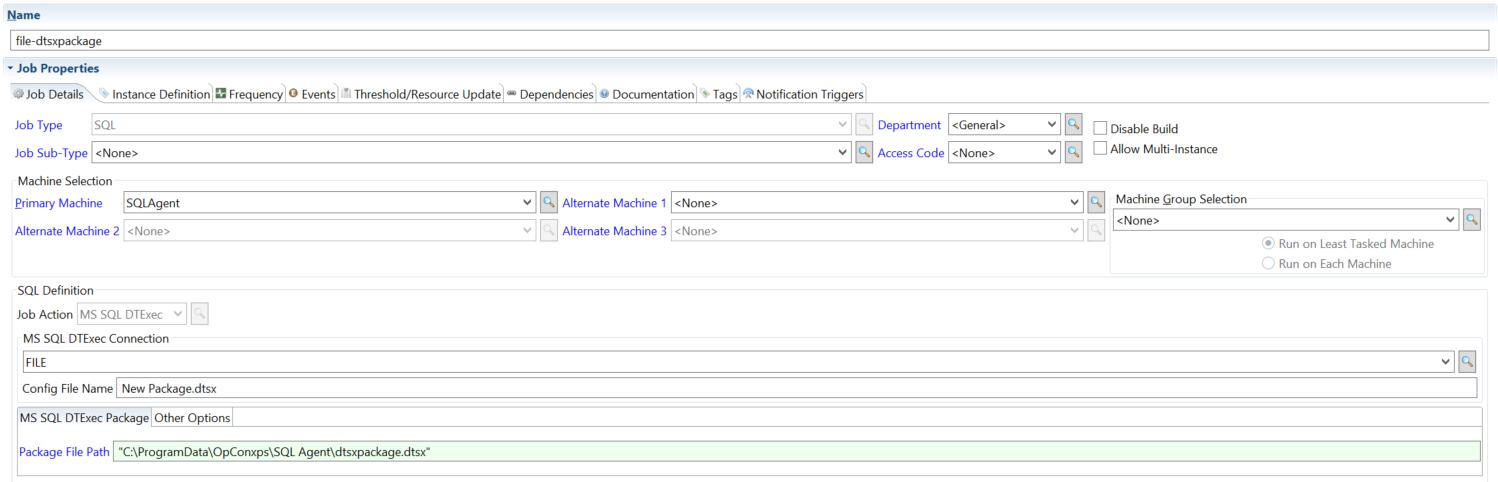
- FILE Connection
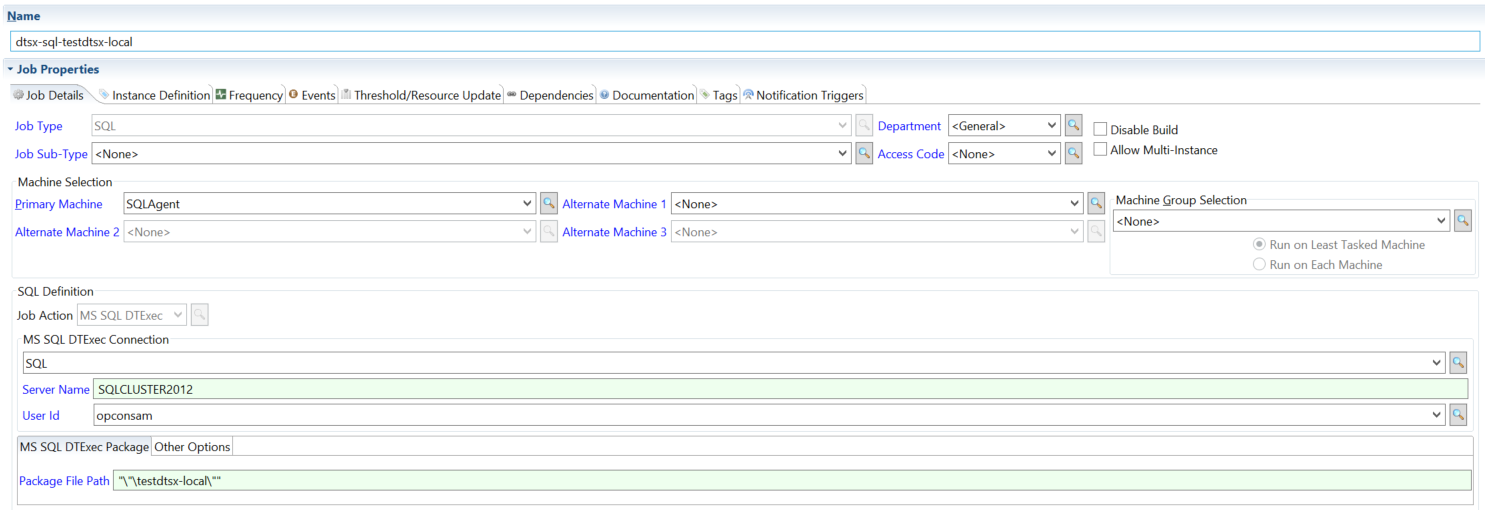
- SQL Connection
Use FILE when the SSIS package is stored on the file system.
Use SQL when the SSIS package is stored in MS SQL Server.
MS SQL Job
Start a SQL Server Agent job and control how the SQL Agent monitors it. Each tab shows a different monitoring strategy or option.
For the field reference, see Fields for MS SQL Job in the Concepts online help.
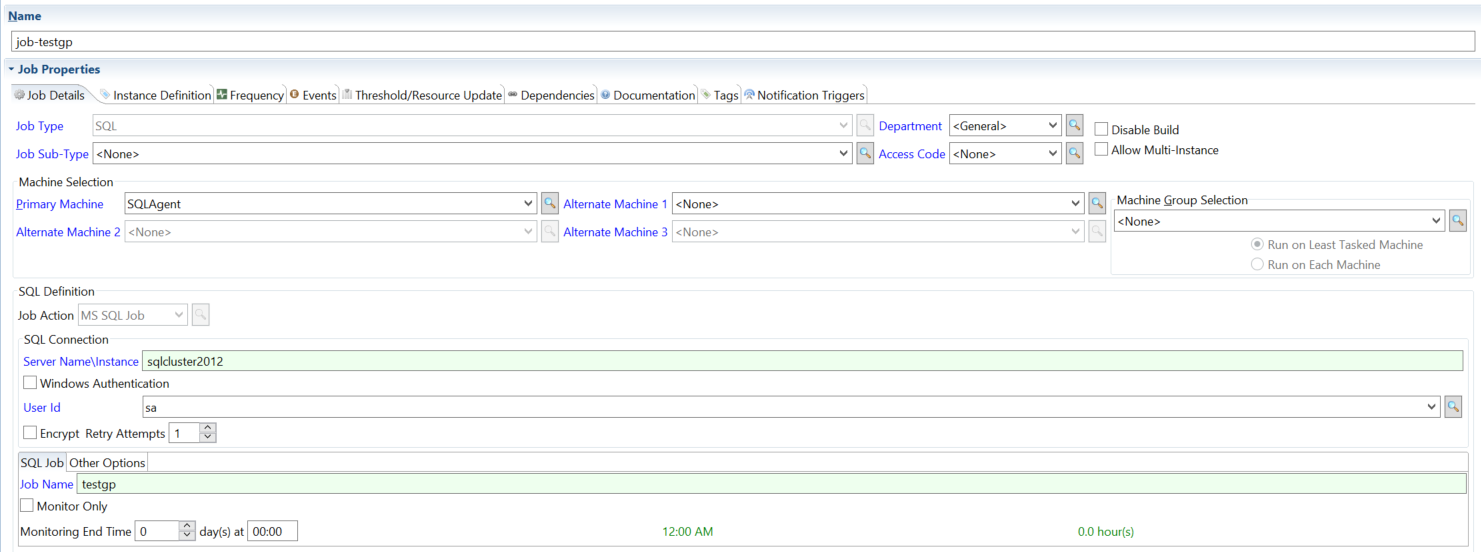
- Monitor until completion
- Monitor while running
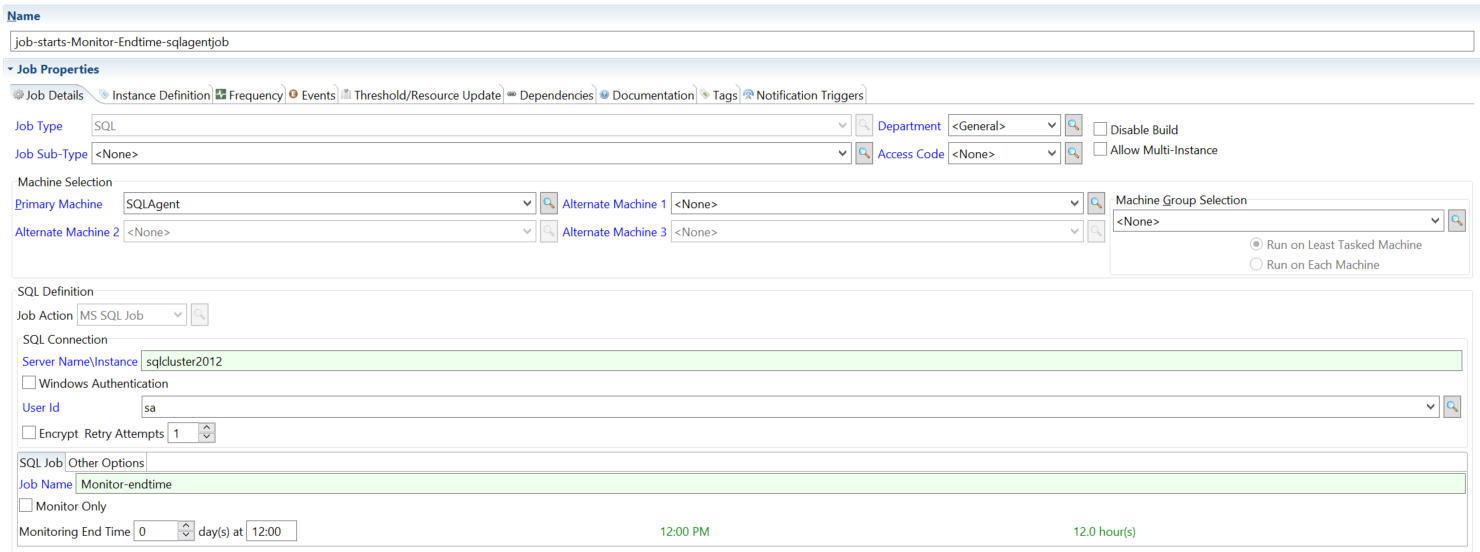
- Specified end time
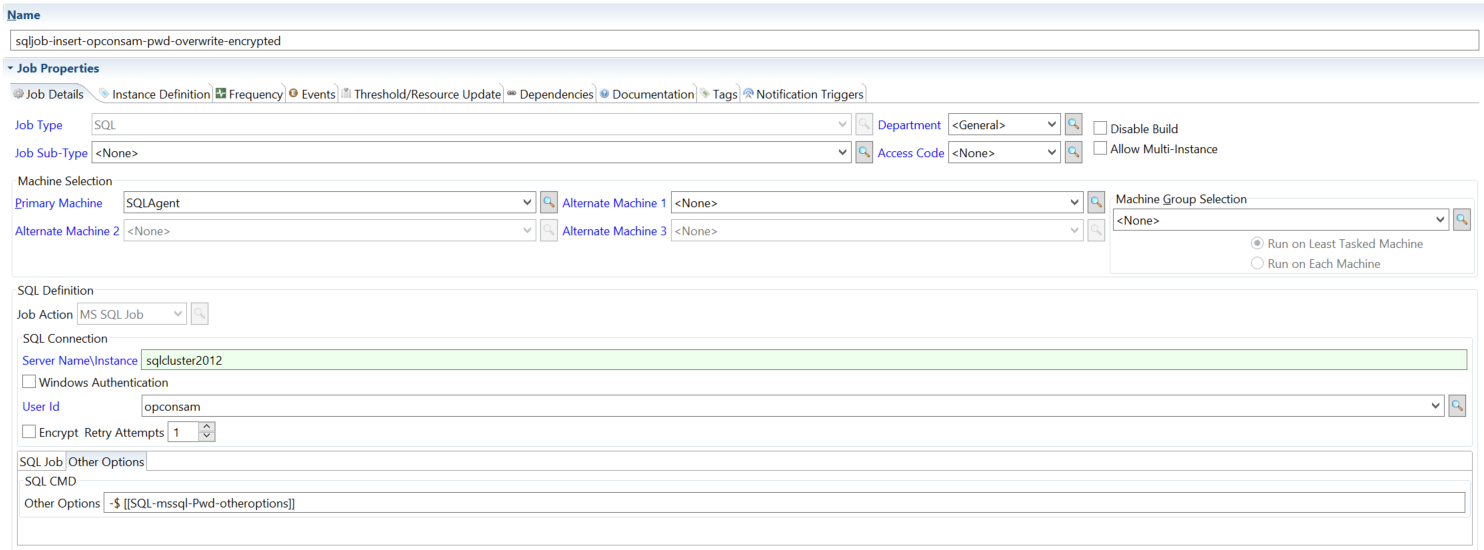
- Password overwrite
The SQL Agent reports the job's final status when it finishes.
The SQL Agent monitors the job only while the SQL Server Agent job is running.
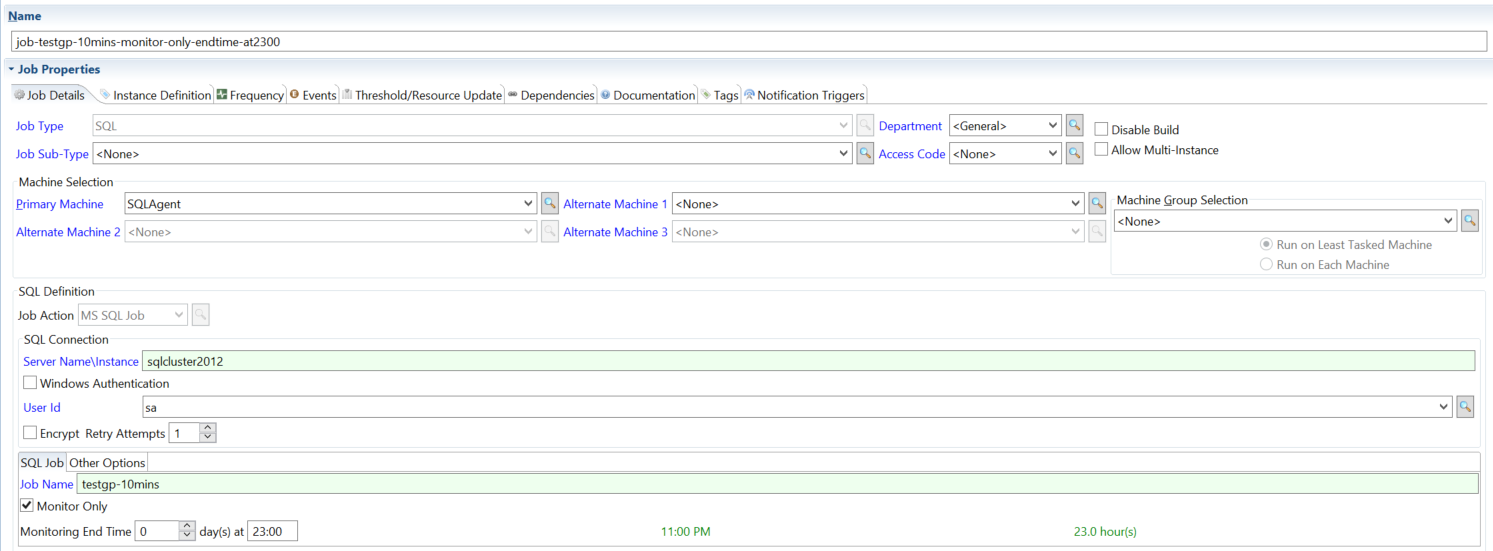
The SQL Agent monitors the job until the run time you specify.
Start and monitor a job, overriding the saved credentials with a password supplied at runtime.
How the agent monitors an MS SQL Job
- Monitor only. When the job definition is set to monitor only, the agent does not start the SQL Server Agent job. It watches the job and reports its outcome. For every MS SQL Job, the agent checks the job's status every 10 seconds.
- Monitor end time. The end time is a number of hours after the start of the schedule date. When that time is reached, the agent reports the OpCon job as finished with exit code
0, even if the SQL Server Agent job is still running. The SQL Server Agent job is not stopped. - Retry Attempts. If the agent connects but the SQL Server is not available, it waits 5 minutes and tries again, up to the number of retry attempts in the job definition (default
0). An error while connecting is not retried. The 5-minute wait is fixed.
The agent reports the SQL Server Agent job's outcome as the exit code:
| Exit code | SQL Server Agent job outcome |
|---|---|
0 | Succeeded |
1 | Failed |
2 | Retry |
3 | Cancelled |
4 | In progress |
5 | Unknown |
MS SQL Script
Run T-SQL against MS SQL Server. The script can be written in line in the job definition or pulled from a .sql file. Pick the tab that matches how you want the script and any runtime values supplied.
For the field reference, see Fields for MS SQL Script in the Concepts online help.
- In Line Script
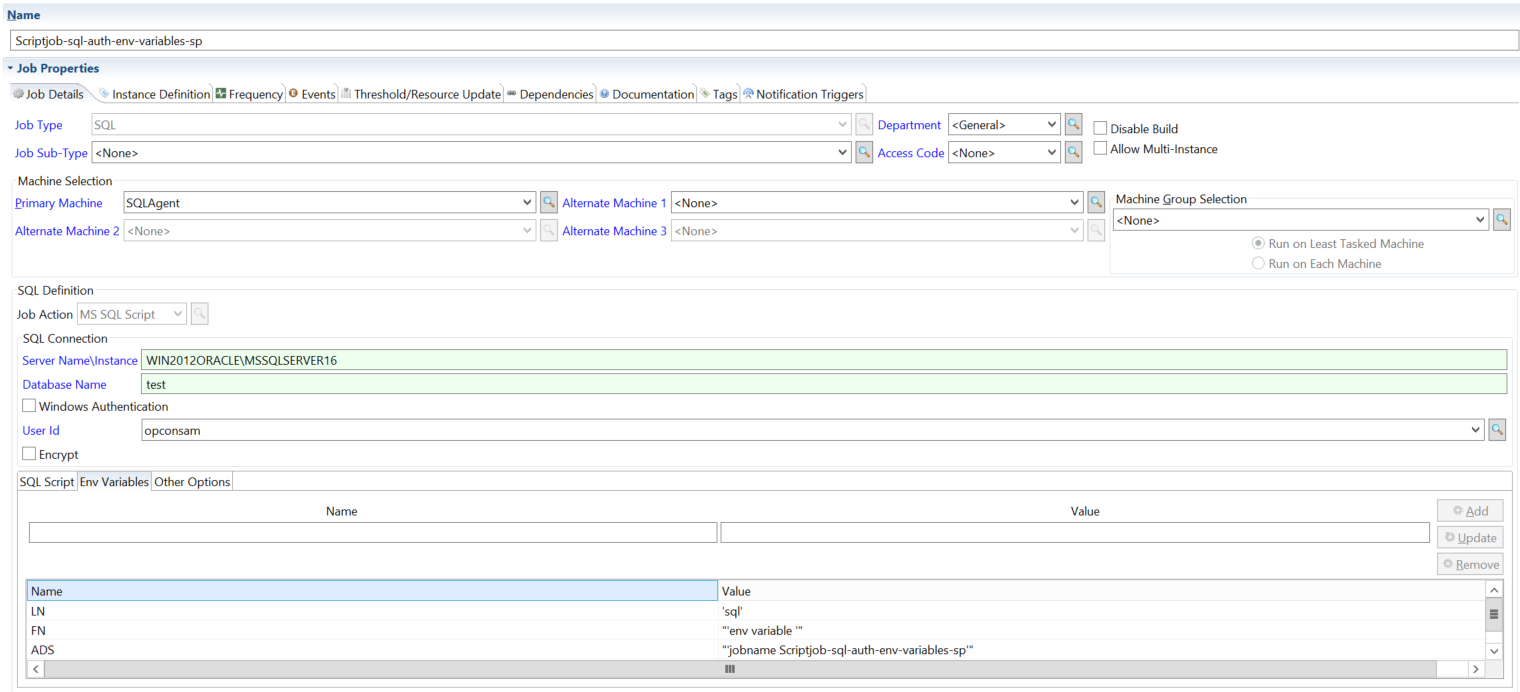
- Environment variables
- In Line Script + variables
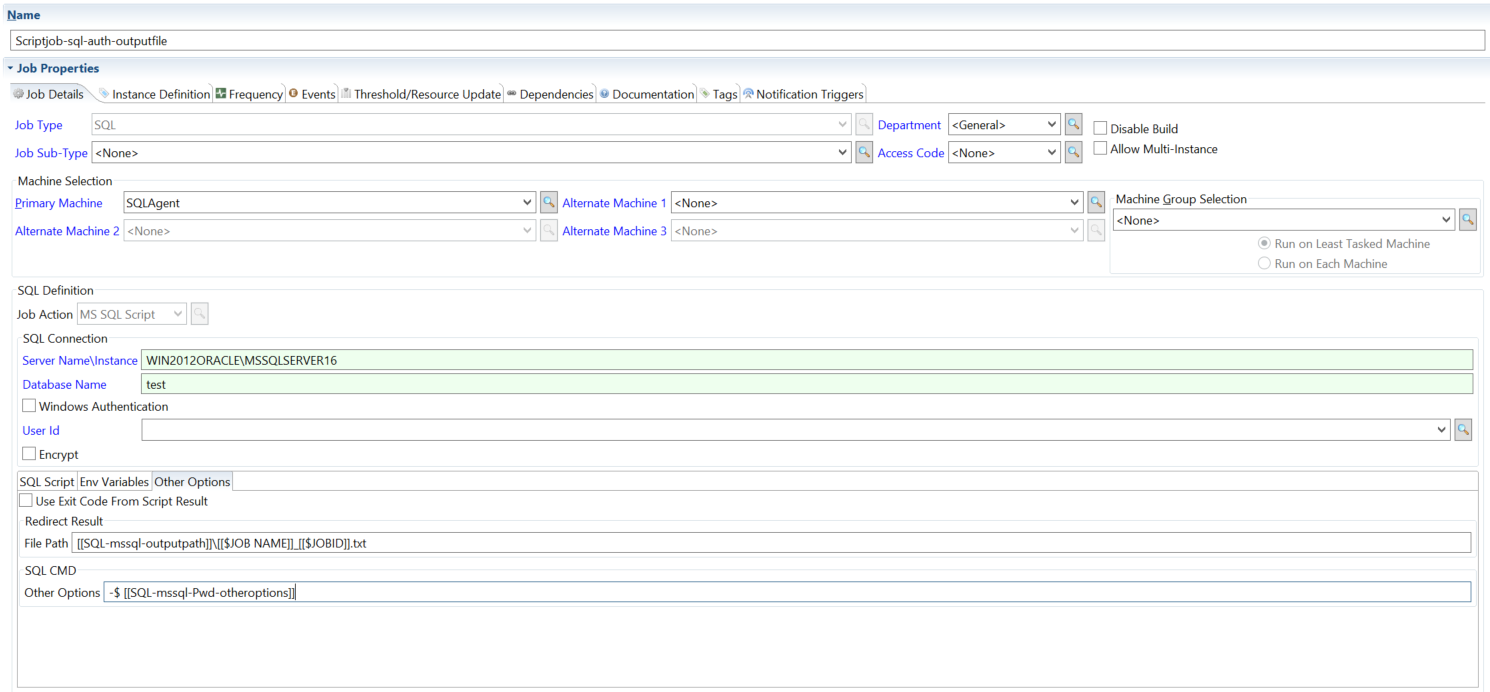
- Output file + password
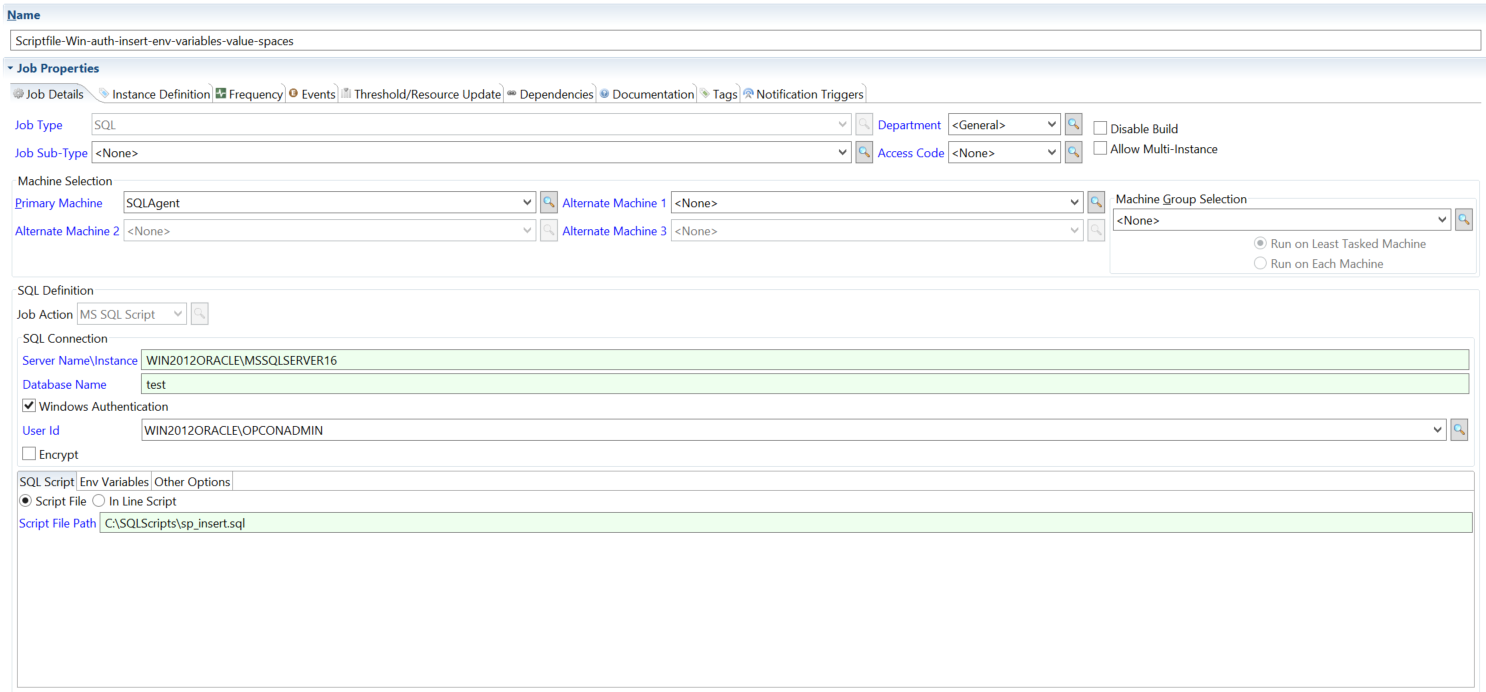
- Windows Auth + script file
The script is written directly in the job definition.
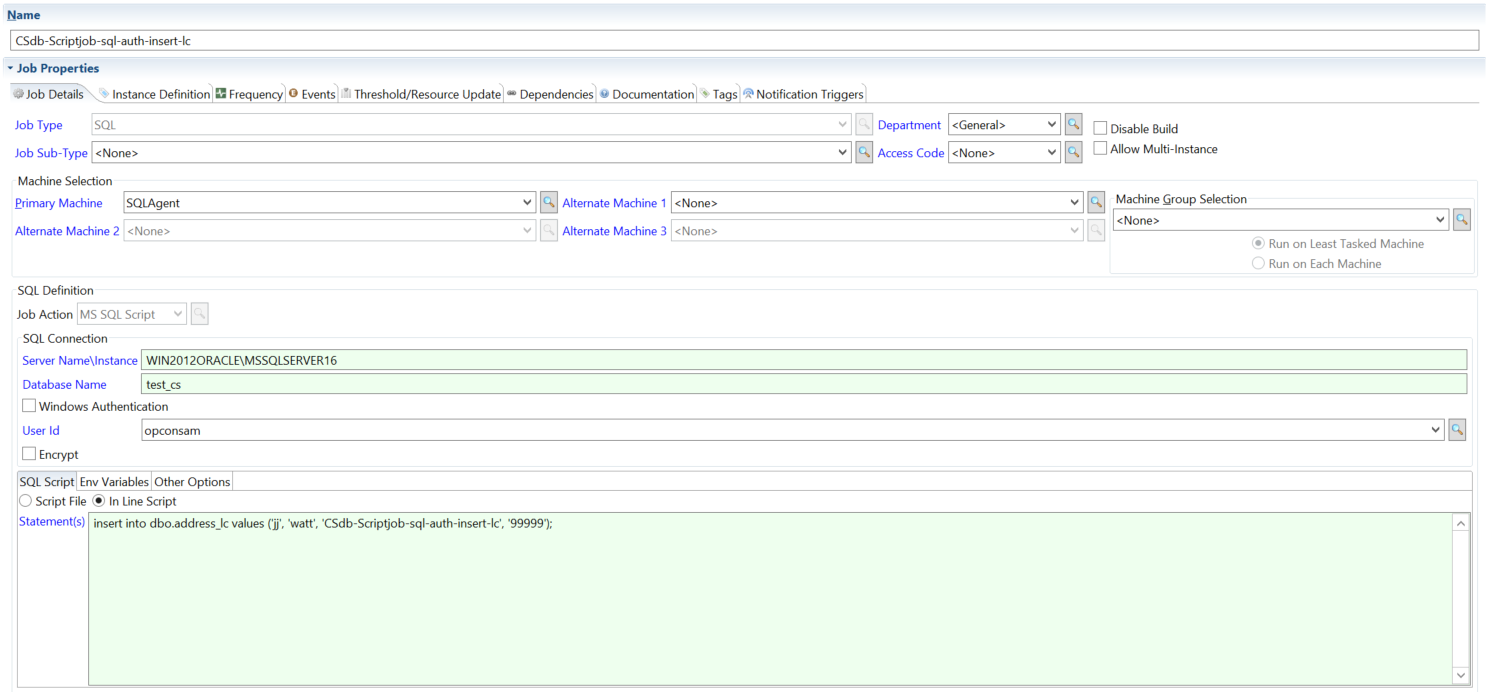
The job passes environment variables into the script at runtime.
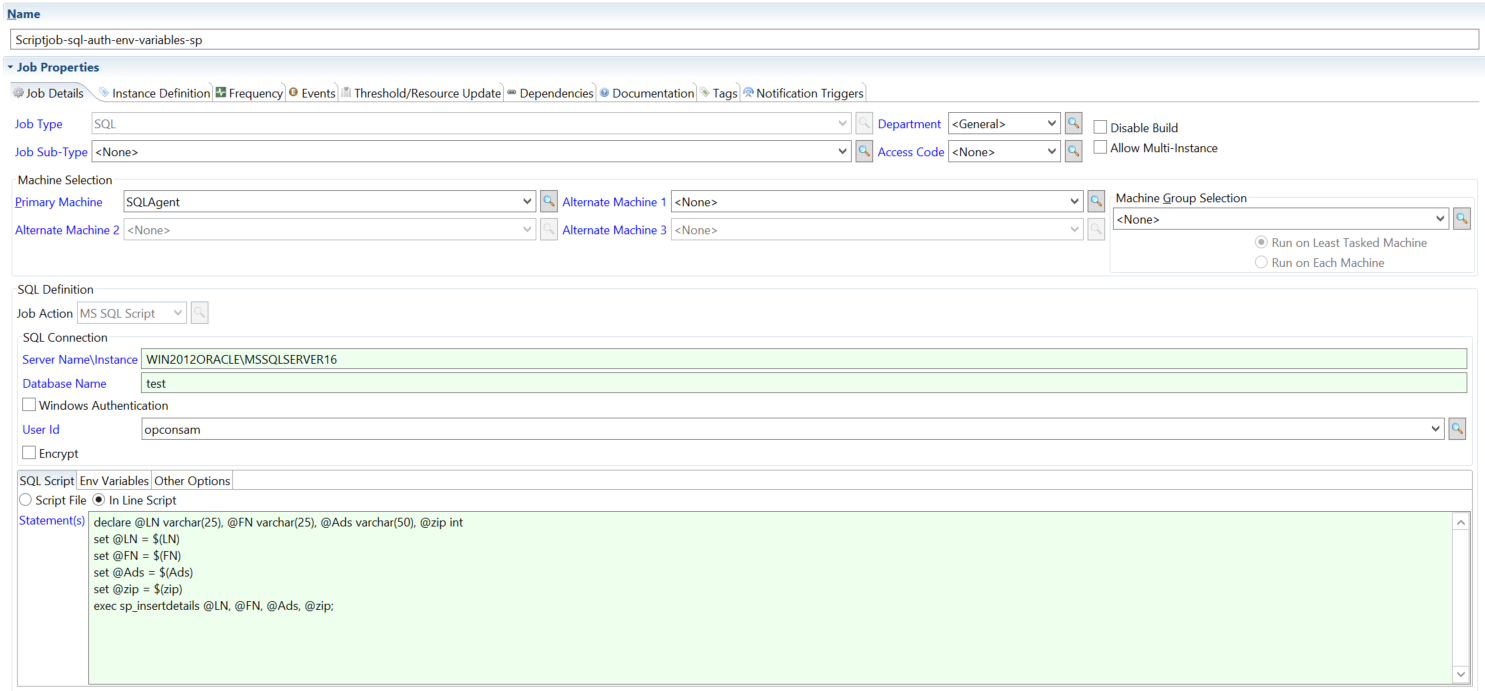
Combines an in-line script with environment variables.
Specifies an output file path and applies a password overwrite at runtime.
Uses a trusted Windows connection and runs a script from a .sql file. The connection uses the job's Windows User ID, or the SQL Agent service account when no Windows User ID is set.
:::note UseScriptExitCode
When the Use Script Exit Code option is enabled and the job uses an inline script statement, the agent wraps the statement in EXIT(statement) when calling sqlcmd, causing sqlcmd to return the query result as its process exit code. This option has no effect when the job uses a script file path instead of an inline statement. In every case, the job's exit code is the sqlcmd exit code; the agent always adds -b, so sqlcmd returns an error exit code when a statement fails.
:::
:::note EncryptConnection
When the Encrypt Connection option is enabled in the job definition, the agent adds the -N flag to the sqlcmd command line, which tells sqlcmd to use an encrypted connection for the SQL Server session. The option applies to MS SQL Script only.
:::
MySQL
Run a script file against MySQL. The agent runs the file in Script File Path; it does not run statements entered in the job definition. The example tabs show the most common configurations.
For the field reference, see Fields for MySQL in the Concepts online help.
:::note MySQL default port
When no port is specified in the job definition, the agent does not pass a port to MySql.exe, so the MySQL client's own default port is used.
:::
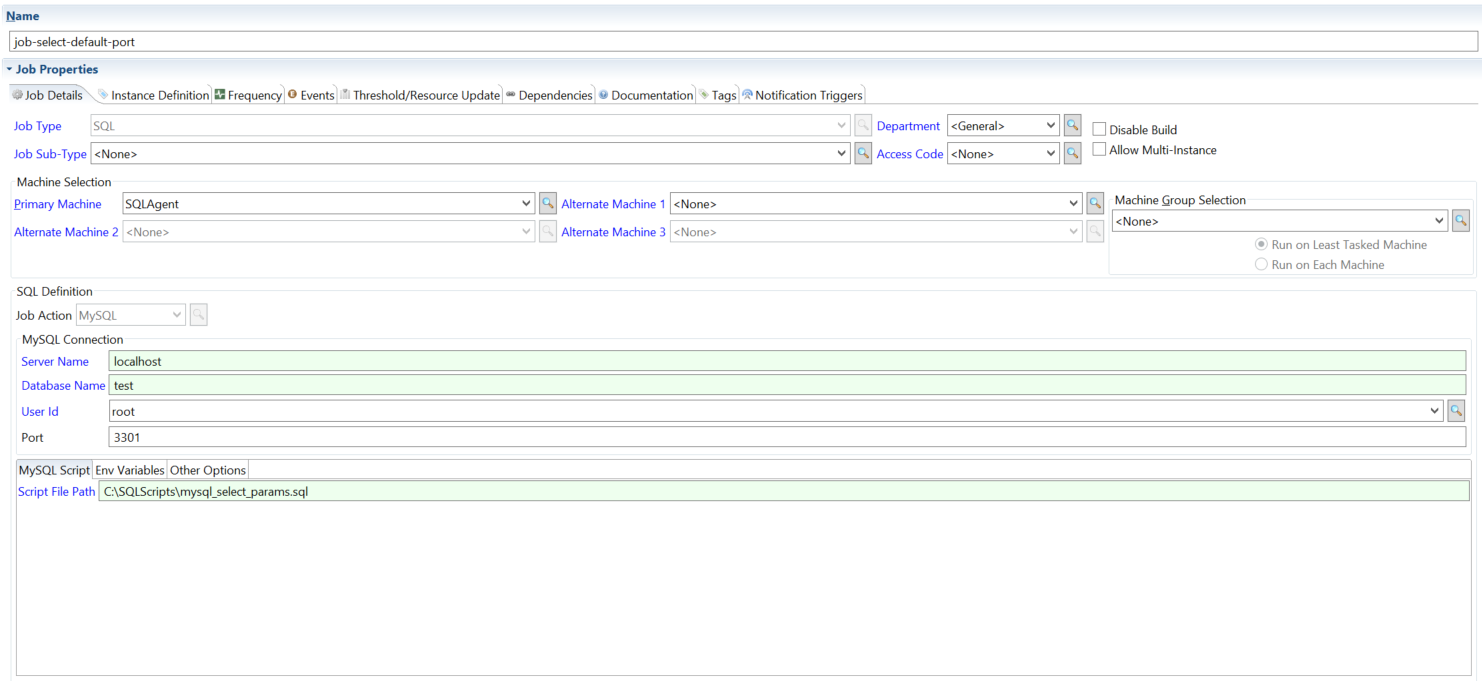
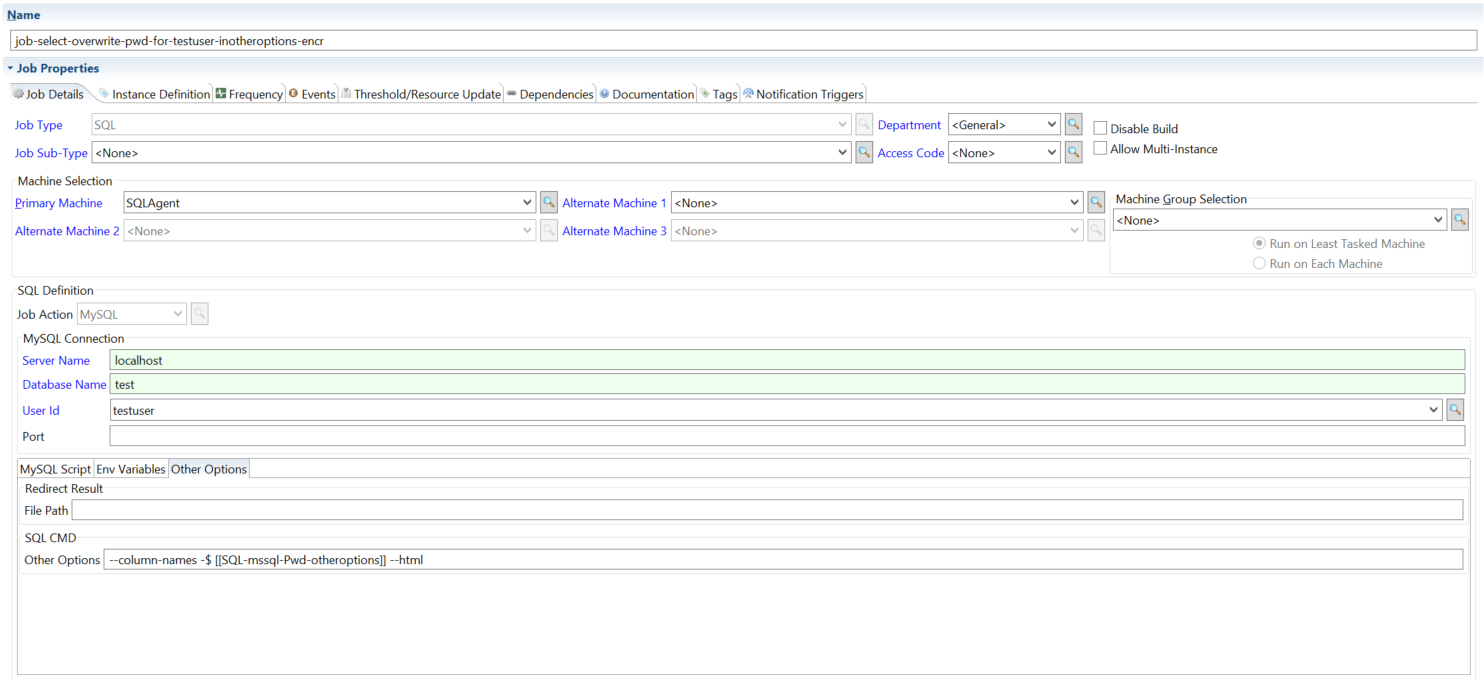
- Default port
- Password overwrite
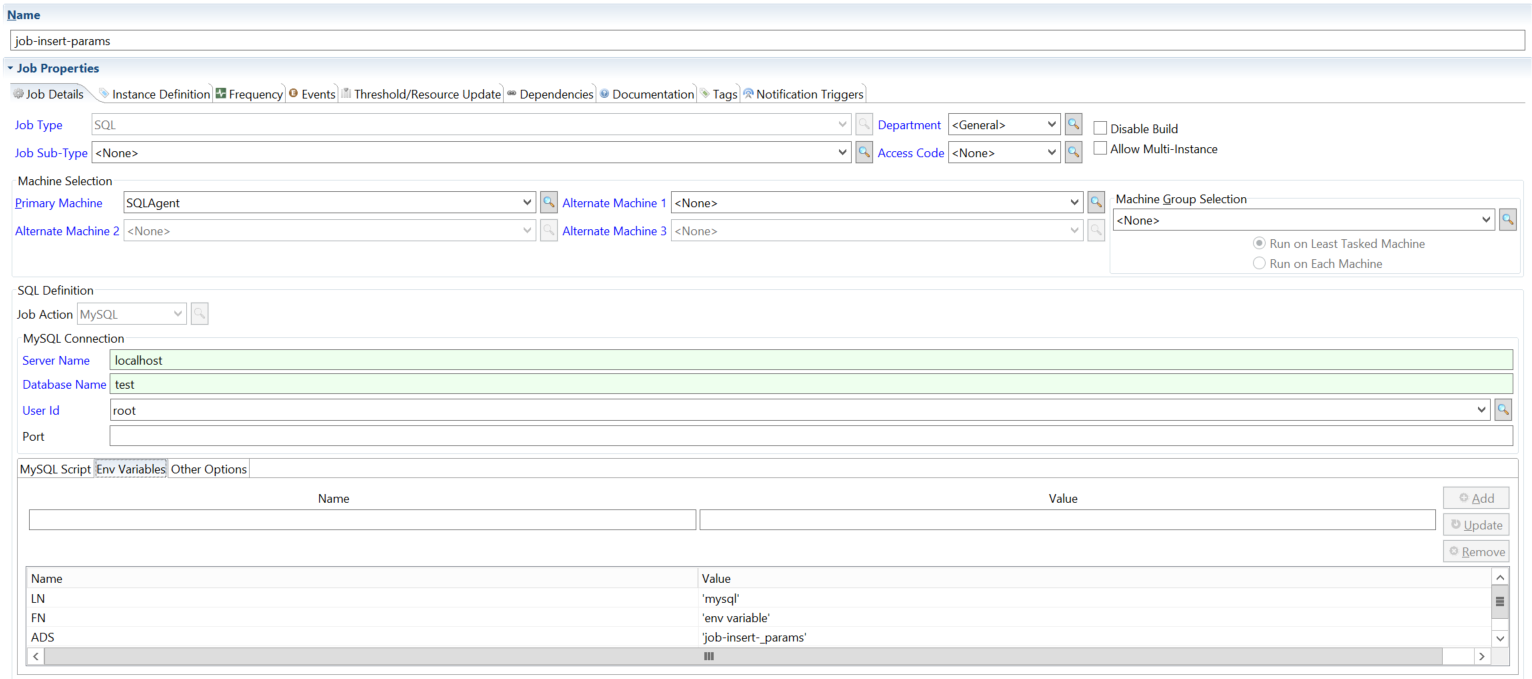
- Environment variables
Connects to MySQL on the default port.
Overrides the saved password at runtime.
Runs a script file with environment variables. The agent defines each variable as a MySQL user variable before it runs the script, so the script refers to it as @NAME.
Script File Path: C:\SQLScripts\mysql_insert_params.sql
Mysql_insert_params.sql script details:
Insert into address (Lastname, Firstname, Address) values (@LN, @FN, @ADS);
Oracle
Run a script file against Oracle with SQL*Plus (SqlPlus.exe). The agent runs the file in Script File Path; it does not run statements entered in the job definition. The tabs cover the most common parameter and connection patterns.
For the field reference, see Fields for Oracle in the Concepts online help.
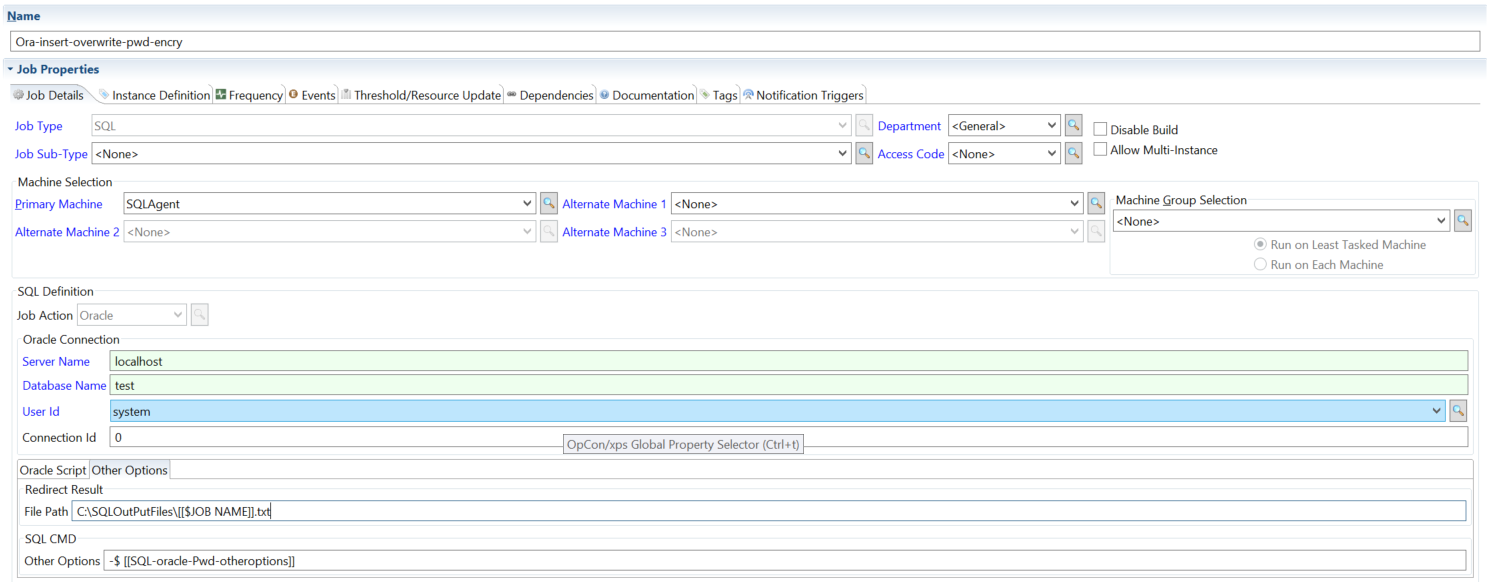
- Output file + password
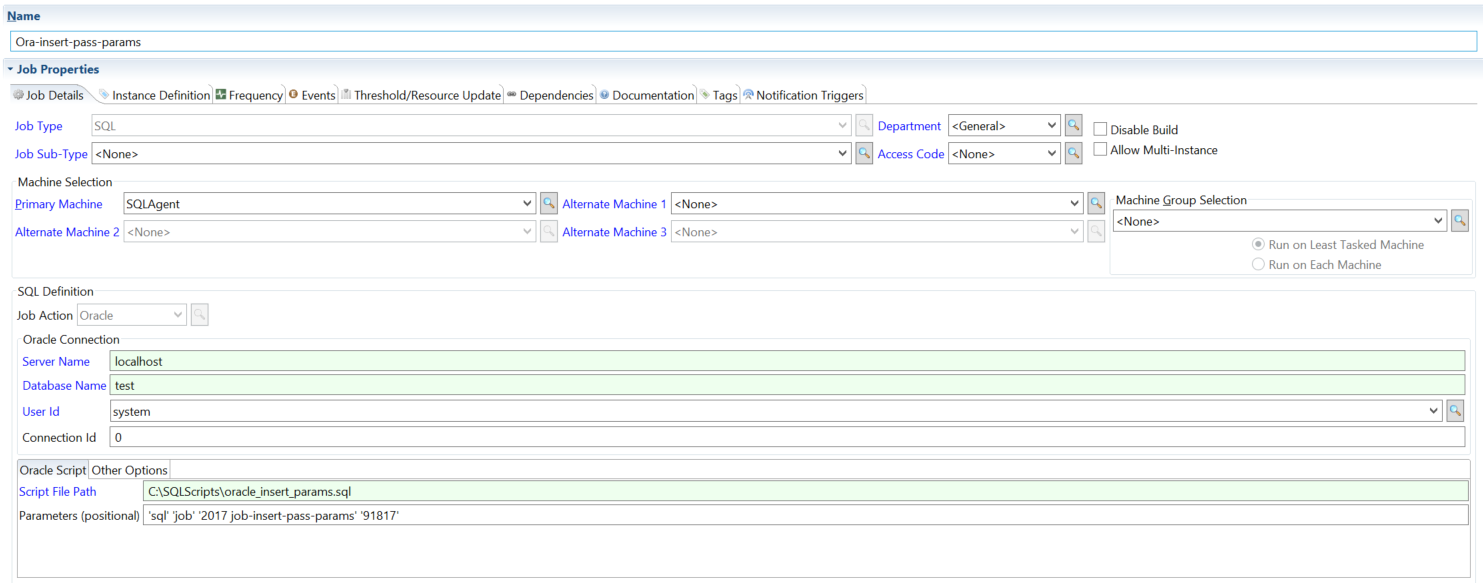
- Parameters
- Encrypted parameters
- Connection ID
Writes job output to a specified file path and applies a password overwrite.
Passes parameters into the Oracle job at runtime.
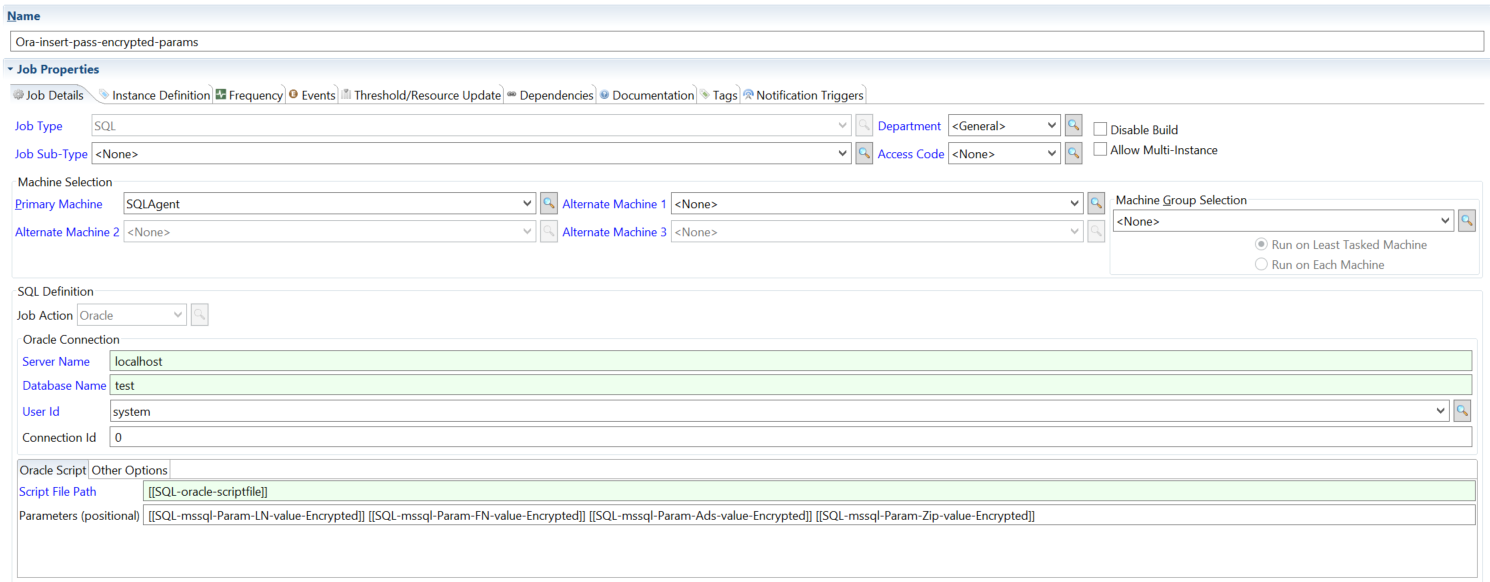
Passes encrypted parameters into the Oracle job.
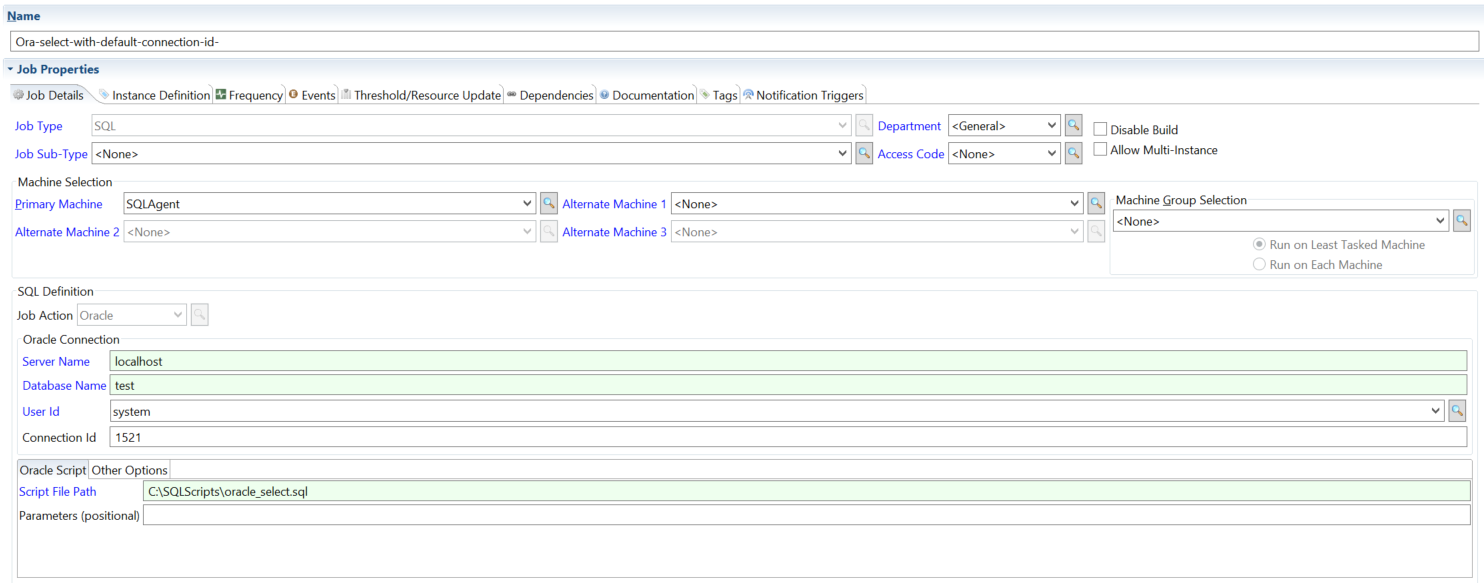
Adds the Connection ID to the connection. With a Server Name, a numeric Connection ID is used as the port (<server>:<ID>). Without a Server Name, the Connection ID is used as the Oracle connect identifier (@<ID>).
Other DB
Connect to any database through ODBC or OLE DB. Use this job action when the database isn't covered by one of the dedicated job types above. The three sub-sections below correspond to the three connection methods.
For the field reference, see Fields for Other DB in the Concepts online help.
DSN Name connections
Connect through a Data Source Name configured on the agent machine.
- Env. variables (1 of 2)
- Env. variables (2 of 2)
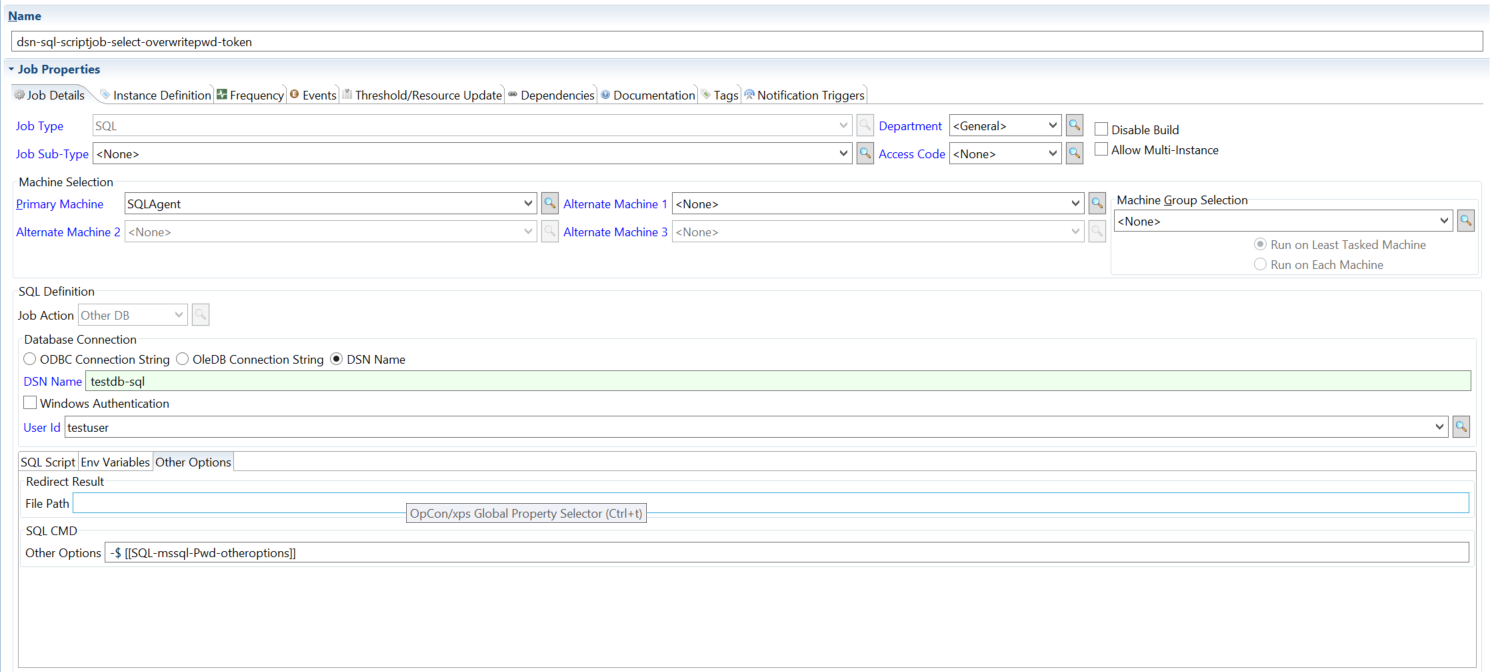
- Password overwrite
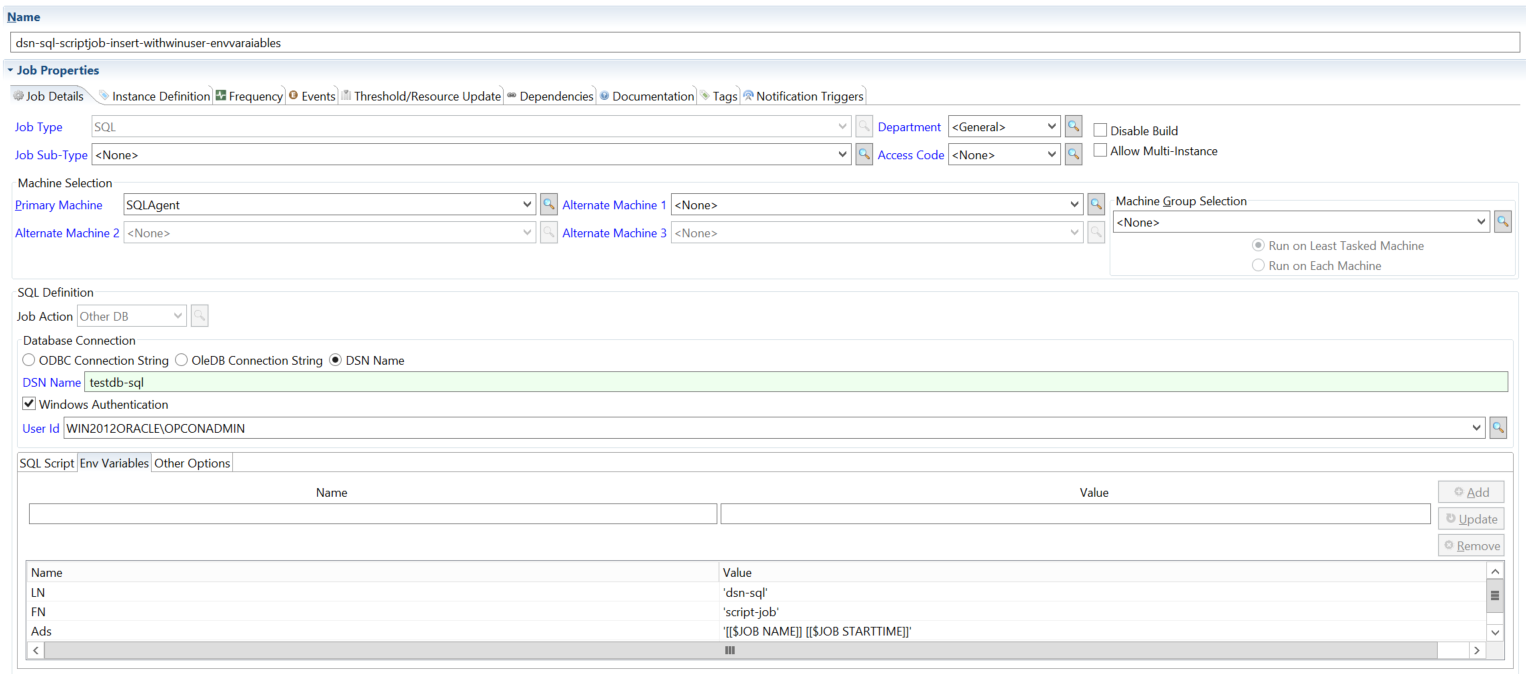
In Line Script with environment variables — first part.
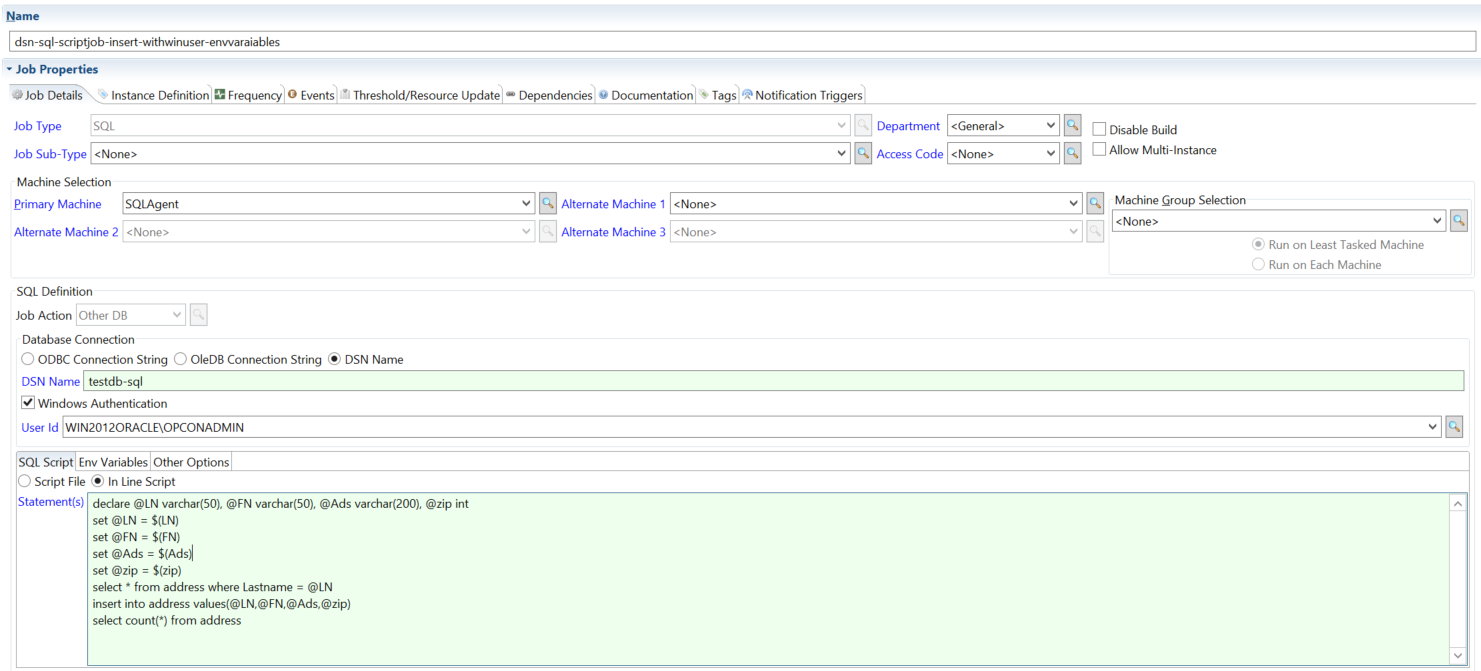
In Line Script with environment variables — second part.
DSN Name connection with password overwrite at runtime.
OleDB Connection String
Connect by supplying a full OLE DB connection string in the job definition.
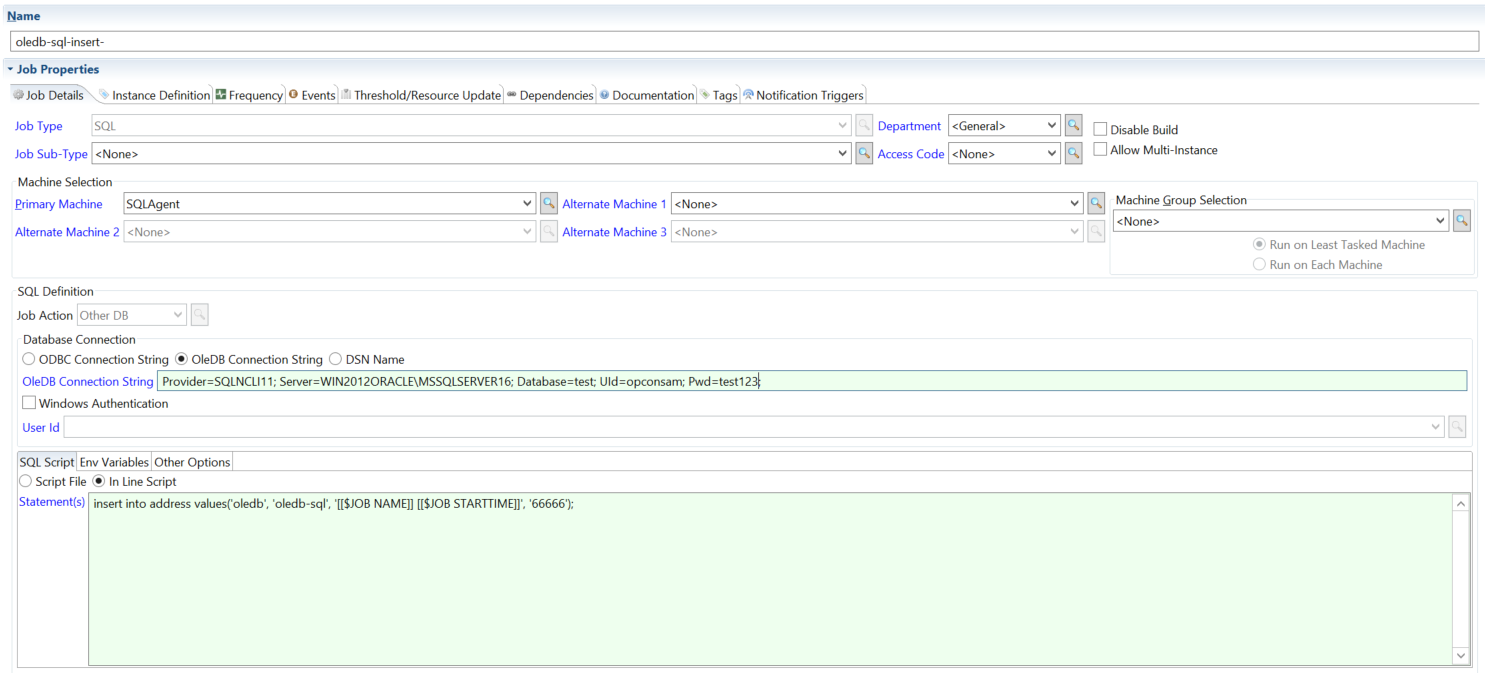
- In Line Script
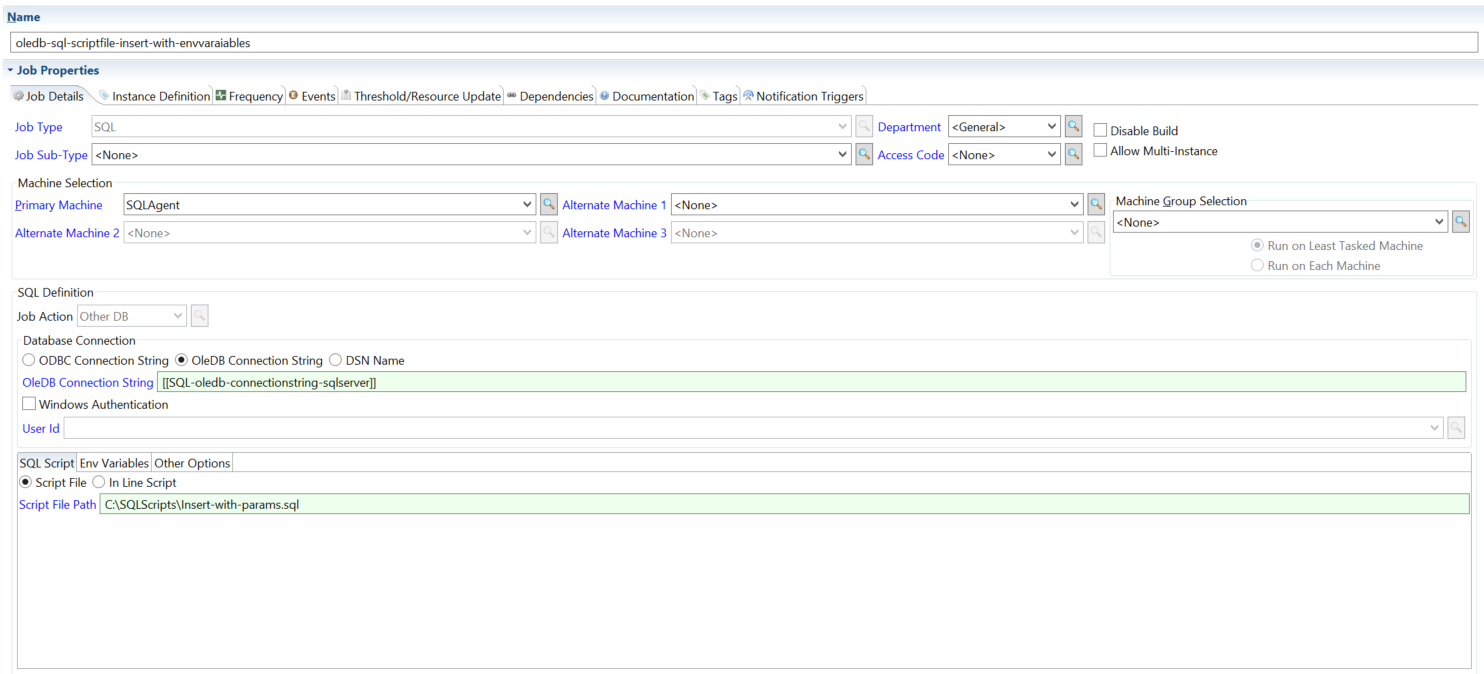
- Script file
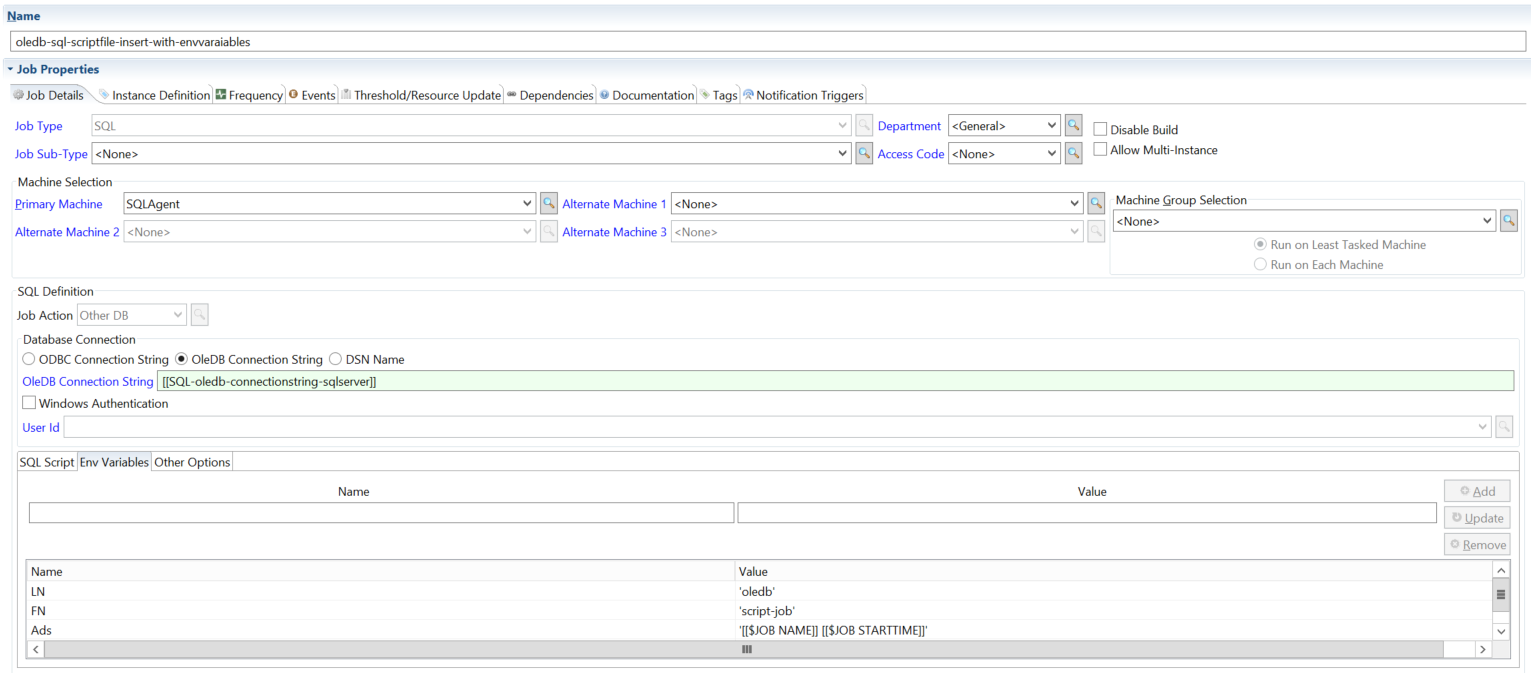
- Environment variables
OleDB connection string with an in-line script.
OleDB connection string with a .sql script file. The script accepts parameters supplied at runtime.
Insert-with-params.sql script file details:
declare @LN varchar(25), @FN varchar(25), @Ads varchar(50), @zip int;

set @LN = $(LN);

set @FN = $(FN);

set @Ads = $(Ads);

set @zip = $(zip);

select * from address where Lastname = @LN;

insert into address values(@LN,@FN,@Ads,@zip);
OleDB connection string with environment variables.
ODBC Connection String
Connect by supplying a full ODBC connection string in the job definition.
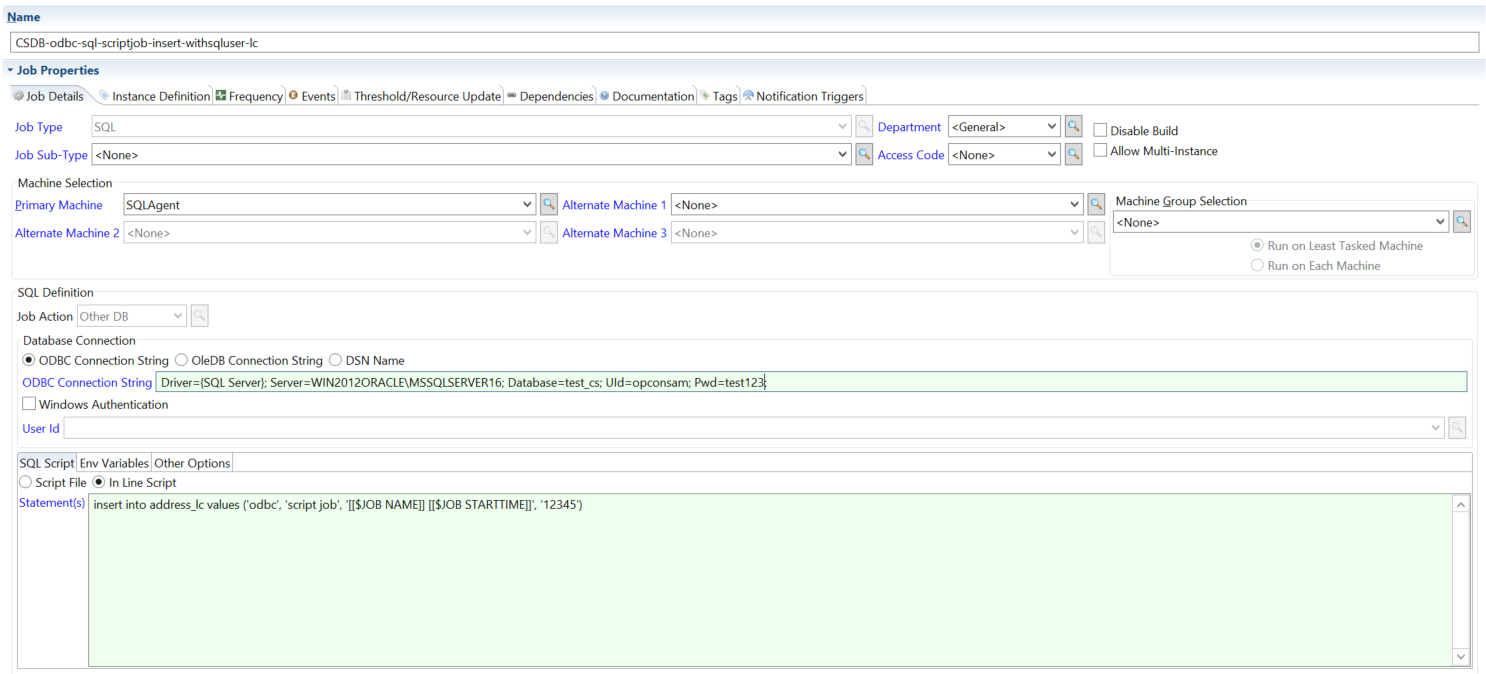
- In Line Script
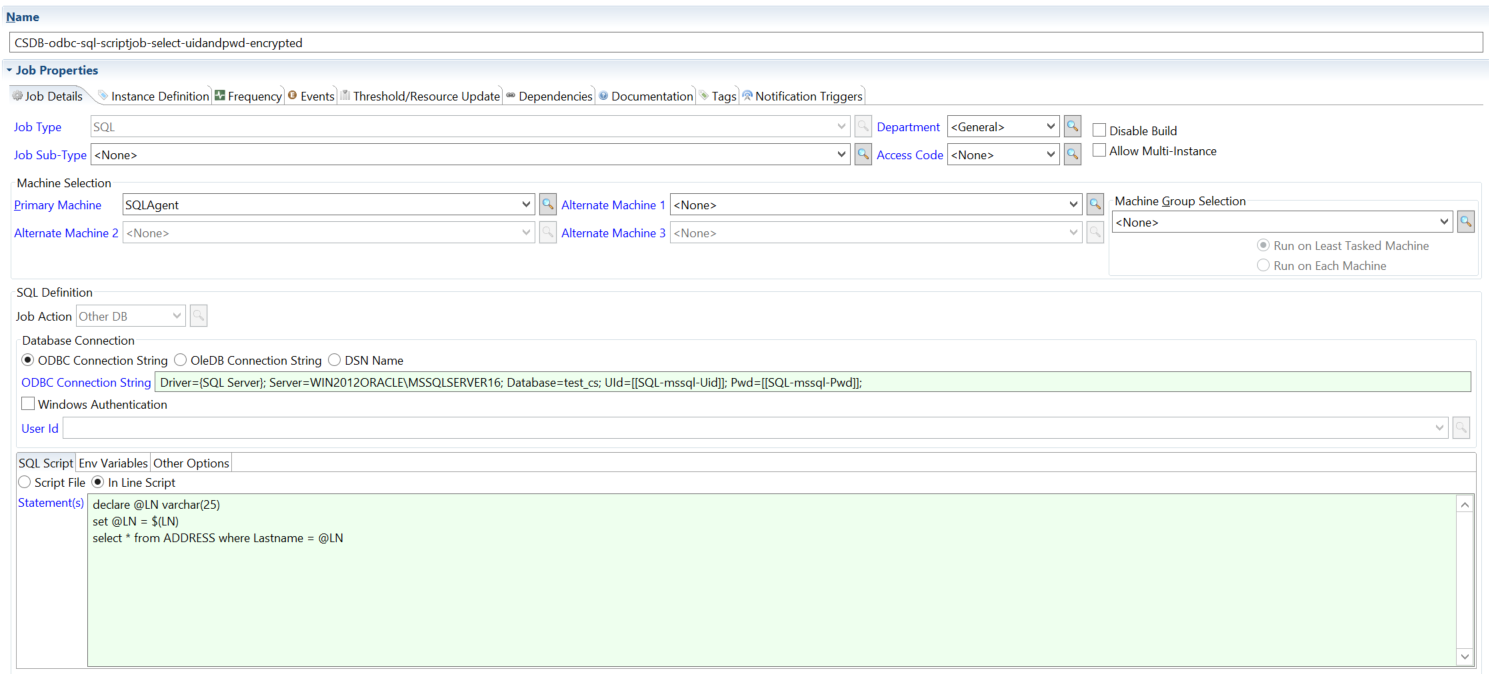
- In Line Script + variables
ODBC connection string with an in-line script.
ODBC connection string with an in-line script and environment variables.
FAQs
What is the difference between MS SQL Job and MS SQL Script?
Use MS SQL Job to trigger and monitor a pre-existing SQL Server Agent job. Use MS SQL Script to run T-SQL directly via sqlcmd — either an in-line script or a .sql file. MS SQL Script does not require a pre-existing SQL Server Agent job.
How does the agent retry a failed connection? Only MS SQL Job jobs retry. If the agent connects but the SQL Server is not available, it waits 5 minutes and tries again, up to the job definition's Retry Attempts (default: 0). The 5-minute wait is fixed. An error while connecting is not retried. See How the agent monitors an MS SQL Job.
What port does MySQL use if I leave the port field blank? The agent does not pass a port, so the MySQL client uses its own default port.
What does "Use Script Exit Code" do for MS SQL Script jobs?
When enabled and the job uses an inline script statement, the agent wraps that statement in EXIT(statement) when calling sqlcmd, causing sqlcmd's process exit code to reflect the query result. In every other case the job's exit code is still the sqlcmd exit code.
Can MySQL or Oracle jobs run statements entered in the job definition? No. For MySQL and Oracle, the agent runs only the script file in Script File Path. Put the statements in a script file.